
Description
UpdraftPlus Premium Backup/Restore Latest Version
This is a GPL-distributed version of UpdraftPlus Premium. No official support is included. The plugin is clean, secure, and legally redistributed under the GPL license.
Note: When you unzip the UpdraftPlus Premium file, you’ll find the plugin ZIP file. You need to upload and install UpdraftPlus Premium through WordPress. The GPL version includes the core premium plugin features, but official UpdraftPlus support, automatic updates, and external author services are NOT included with the $0.36 (Rs. 99) GPL version.
Let’s have a closer look at UpdraftPlus Premium
Discover how UpdraftPlus Premium can help you protect and manage your WordPress website with powerful backup and restoration tools. It provides advanced backup options, scheduled backups, website migration and cloning features, multiple remote storage options, database backups, and other useful tools to help keep your website data safe and secure.
Steps to Activate UpdraftPlus Premium Backup/Restore
How to Install and Activate UpdraftPlus Premium Backup/Restore
Download the UpdraftPlus Premium ZIP file
After purchase, download the UpdraftPlus Premium ZIP file to your computer.
If the downloaded file is a ZIP package containing multiple files, unzip it first and locate the actual UpdraftPlus Premium ZIP file.
Install and Activate UpdraftPlus Free Version
Go to WordPress Dashboard → Plugins → Add New Plugin.
Search for UpdraftPlus WordPress Backup Plugin.
Click Install Now and then Activate.
The free version should be installed and activated before installing the Premium version.
Upload and Install UpdraftPlus Premium
Go to WordPress Dashboard → Plugins → Add New Plugin.
Click Upload Plugin.
Click Choose File and select the UpdraftPlus Premium ZIP file.
Click Install Now and wait for the installation to complete.
Activate UpdraftPlus Premium
After installation, click Activate Plugin.
The UpdraftPlus Premium features will now be available on your website.
Configure UpdraftPlus Settings
Go to WordPress Dashboard → Settings → UpdraftPlus Backups.
Configure your backup schedule, storage location, and other available settings according to your website requirements.
Important Note:
This is a GPL-distributed version of UpdraftPlus Premium. The plugin may include premium features, but official developer support, automatic updates, and services provided directly by the original developer are not included with the GPL version.
Before Installation:
Always keep a backup of your WordPress website before installing new plugins or making major changes to your website.
UpdraftPlus Premium GPL– Backup/Restore Plugin Latest Version
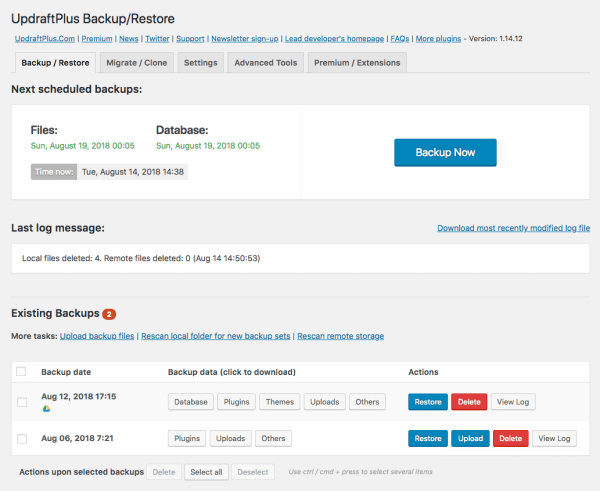
Engage with an easy-to-use interface that allows you to backup and restore with a single click on a schedule that suits you.
Not all backup plugins are created equal. UpdraftPlus is tested in more scenarios, installed on more servers and rated higher than any rival.
UpdraftPlus is a complete, general-purpose backup and restore plugin with more features and advanced tools than any rival.
Performs complete manual or scheduled backups of all your WordPress files, databases, plugins and themes
Backup schedules every 4, 8 or 12 hours, daily, weekly, fortnightly or monthly
Restores backups directly from your WordPress control panel
Allows you to only backup changes to your files (such as a new image) that have been made to your site since the last backup
Automatically backs up your website before any updates to plugins, themes and cores
Backup the WP core and non-WP files and databases
Backup WordPress multisites or networks securely
Encrypt your sensitive databases (e.g. customer information or passwords); Backup external databases and more…
Some backup plugins can’t restore a backup, so Premium allows you to restore backups from other plugins
Lock access to UpdraftPlus via a password so you choose which site users can access backups
Run optimization commands directly on command-line with detailed output on the screen
UpdraftVault Storage
Central place to store, manage and disconnect backups
1 gigabyte of free storage included, with the option of purchasing more as and when required
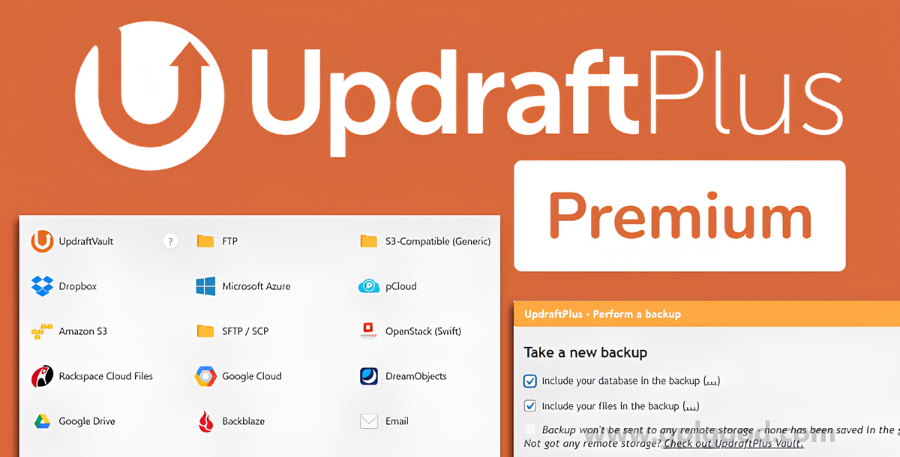
Remote Storage Options
More remote storage options than any other WordPress backup plugin
Supports cloud backup to Amazon S3; any region. Can test your Amazon S3 settings and diagnose common problems. Can back up into sub-directories. Supports chunked, resumable uploads (i.e. interrupted jobs can be resumed where they left off). Encryption supported. Supports reduced-redundancy storage (RRS) and Server-Side Encryption (SSE).
Supports cloud backup to an Amazon S3 compatible provider, with the same feature set (examples of such providers: Dreamhost Dreamobjects, Cloudian, Connectria, Constant, Eucalyptus, Nifty, Nimbula, Cloud).
Supports cloud backup to Rackspace Cloud Files. Can test you Rackspace Cloud Files settings and diagnose common problems. Supports chunked, resumable uploads (i.e. interrupted jobs can be resumed where they left off). Encryption is always used. Supports all Rackspace locations. Support for in-dashboard creation of a unique API user with access only to the backup container.
Supports cloud backup to Dropbox. Supports “app folder” backup automatically – i.e. UpdraftPlus only gets to see or touch its own files. Almost zero-setup (you need to know nothing except for your Dropbox username and password). Supports chunked, resumable uploads (i.e. interrupted jobs can be resumed where they left off).
Supports cloud backup to Google Drive. Supports chunked, resumable uploads (i.e. interrupted jobs can be resumed where they left off). Full setup guide with screenshots.
Supports cloud backup to Microsoft OneDrive (regular/consumer – not OneDrive for Business). Supports chunked, resumable uploads (i.e. interrupted jobs can be resumed where they left off). Full setup guide with screenshots.
Supports cloud backup to Google Cloud Storage. Supports chunked, resumable uploads (i.e. interrupted jobs can be resumed where they left off). Full setup guide with screenshots.
Supports cloud backup to Microsoft Azure Blob Storage. Supports chunked, resumable uploads (i.e. interrupted jobs can be resumed where they left off). Full setup guide with screenshots.
Supports cloud backup to Rackspace Cloud Files. Supports chunked, resumable uploads (i.e. interrupted jobs can be resumed where they left off).
Supports cloud backup to OpenStack Swift object storage. Supports chunked, resumable uploads (i.e. interrupted jobs can be resumed where they left off).
Supports cloud backup to FTP servers. Supports both normal and TLS-encrypted servers. Supports both implicit and explicit encryption. Supports chunked, resumable uploads (i.e. interrupted jobs can be resumed where they left off). Has test mode to allow easy debugging of login problems.
Supports cloud backup to SFTP servers. Supports chunked, resumable uploads (i.e. interrupted jobs can be resumed where they left off). Has test mode to allow easy debugging of login problems. Supports both SFTP and SCP (no chunking support for SCP, but failed uploads will be retried).
Supports cloud backup to WebDAV servers, including encrypted servers. Supports chunked, resumable uploads.
Supports backup by email. Each dump (e.g. of plugins, or of themes, or of uploads) is emailed separately. Limited only by limits your email provider has on incoming attachments.
Supports backup to multiple destinations (e.g. Amazon and Dropbox and FTP) in a single backup.
Security
Database backups can be encrypted for security
Encrypted transport to cloud storage
Reporting, Monitoring, and Scheduling
All backup operations are thoroughly logged
Display status of backups in progress in the WordPress admin panel, along with any errors or warnings.
Reports when the backup completes, including file checksums for verification of backup integrity.
“Debug/expert” gives further insight into the backup process: option to view a different set of SSL certificates, to turn SSL certificate verification, and to turn off SSL entirely.
All log messages can be sent to Syslog (Linux/UNIX) / Event Log (Windows).
Restoring, Recovering, and Migrating
Conveniently backs up each WordPress entity (database, plugins, themes, uploaded content, and “other” content) in a separate file, all from the WordPress control panel.
Further files, WordPress core, or any arbitrary directory from the server can be backed up via add-on.
Databases can be decrypted within the WordPress control panel via drag-and-drop
Backups made elsewhere can be imported via drag-and-drop (unlimited size upload) or FTP.
Search and replace migrates site database upon import
Restores backed-up entities from the console with one-click access
Imports and restores from backups made by other backup plugins: BackupWordPress, BackWPup, WordPress Backup to Dropbox and Simple Backup, and generic SQL (uncompressed, gzip-compressed, or bzip2-compressed) backups.
WordPress Network and Multisite
Compatible with WordPress Network / Multisite installs
The backup/restore control panel is placed in the network dashboard.
Restore individual sites within the network (without having to restore all sites).
Import single-site installs into the network where possible.
The Astra LearnDash Integration makes it easier for you to create and design a beautiful website for offering an online course.
Astra GPL gives you several design options and features that focus more on providing a better learning experience.
Want to create a distraction-free, conversion-oriented website for your next online course with LearnDash? Combine that with Astra and explore many customizations that will help you do so.

Reviews
There are no reviews yet.